
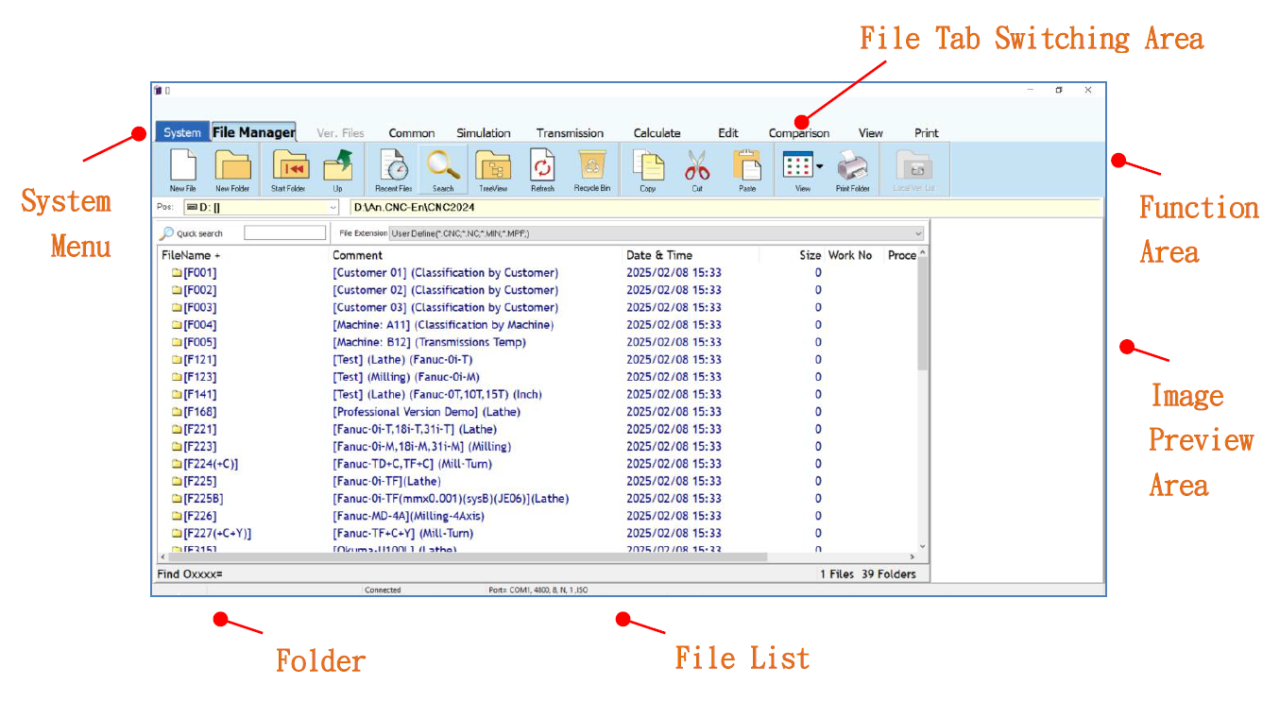
CH2_Basic Environment Introduction_NcEditor
today
2026-06-12
local_offer
CNC, CADCAM
visibility
303
2. Basic Environment Introduction
2.1 Entering CNC Program Editing and Management System
2.1.1 How to Launch NcEditor
(1) Double click the 【 RenAnSoft Launcher 】 shortcut to open it.
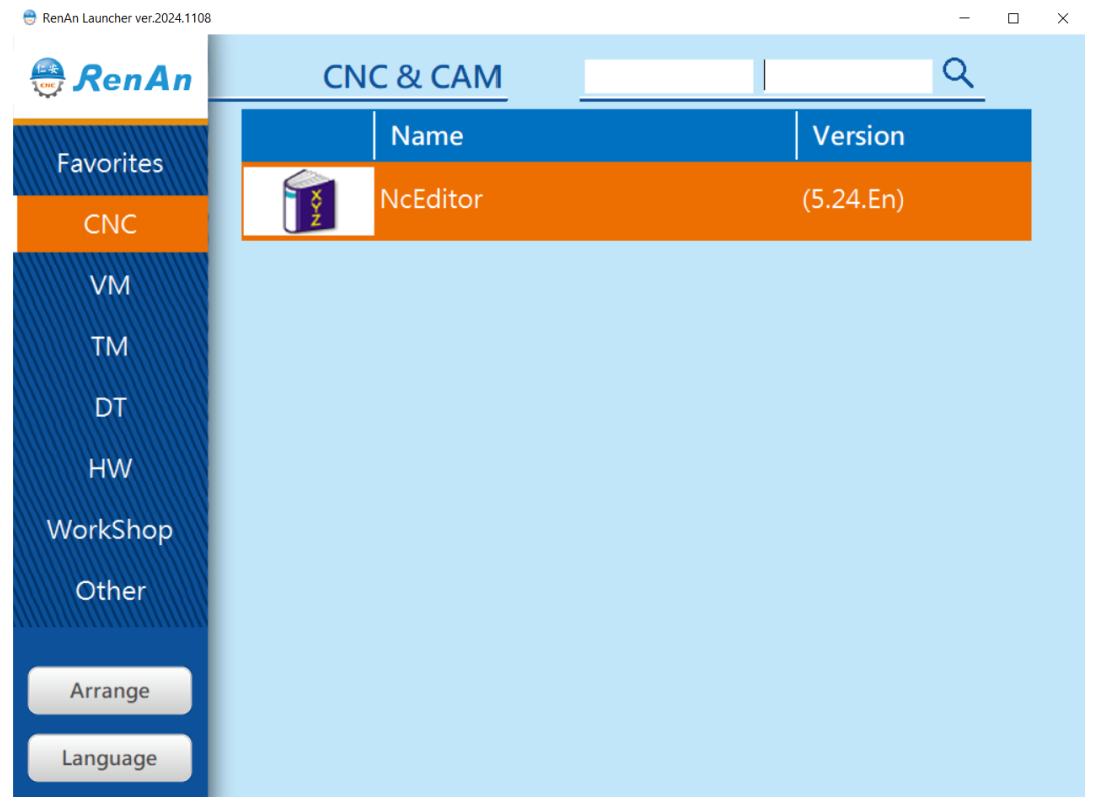
(2) Click「NcEditor」to enter the CNC Program Editing and Management System
2.2 Basic Environment Introduction
2.2.1 File Manager Mode
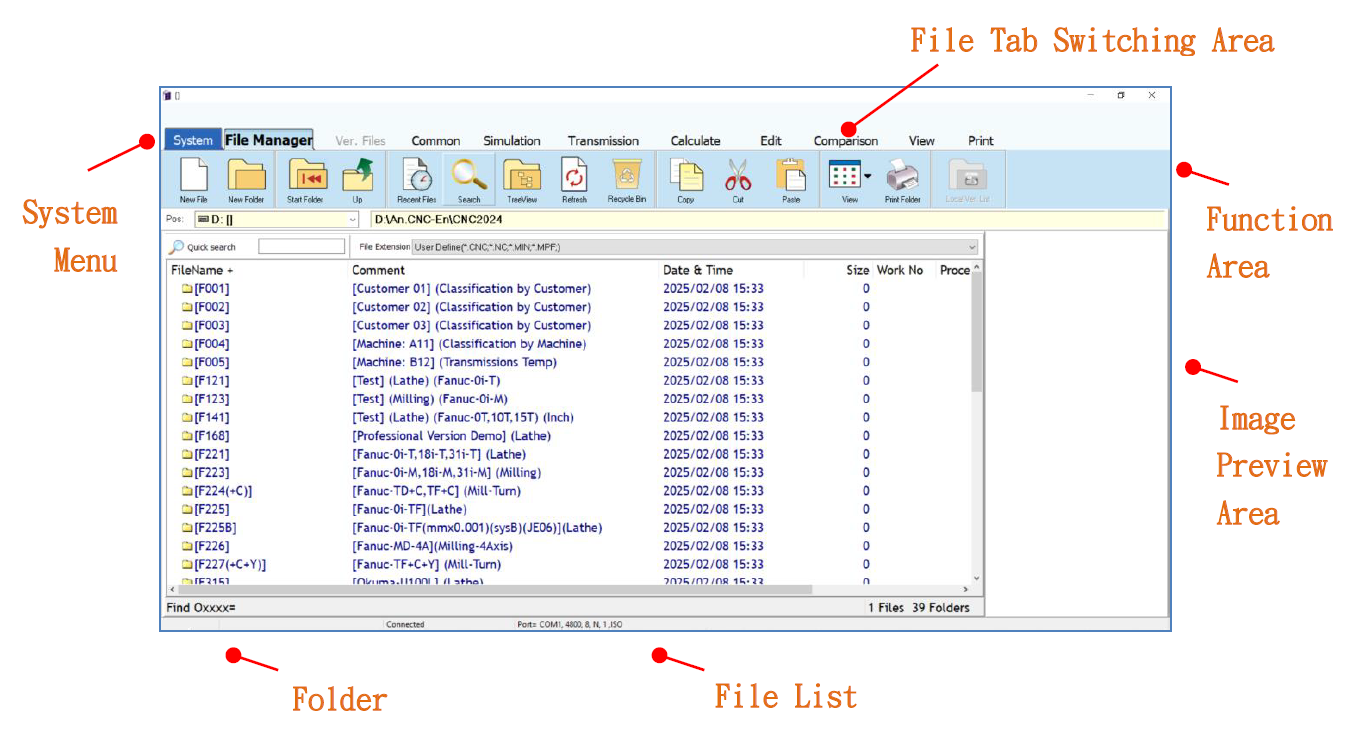
File Manager Mode, NcEditor workspace includes: system menu, file tab switching area, function area, folders, file list, and image preview area.
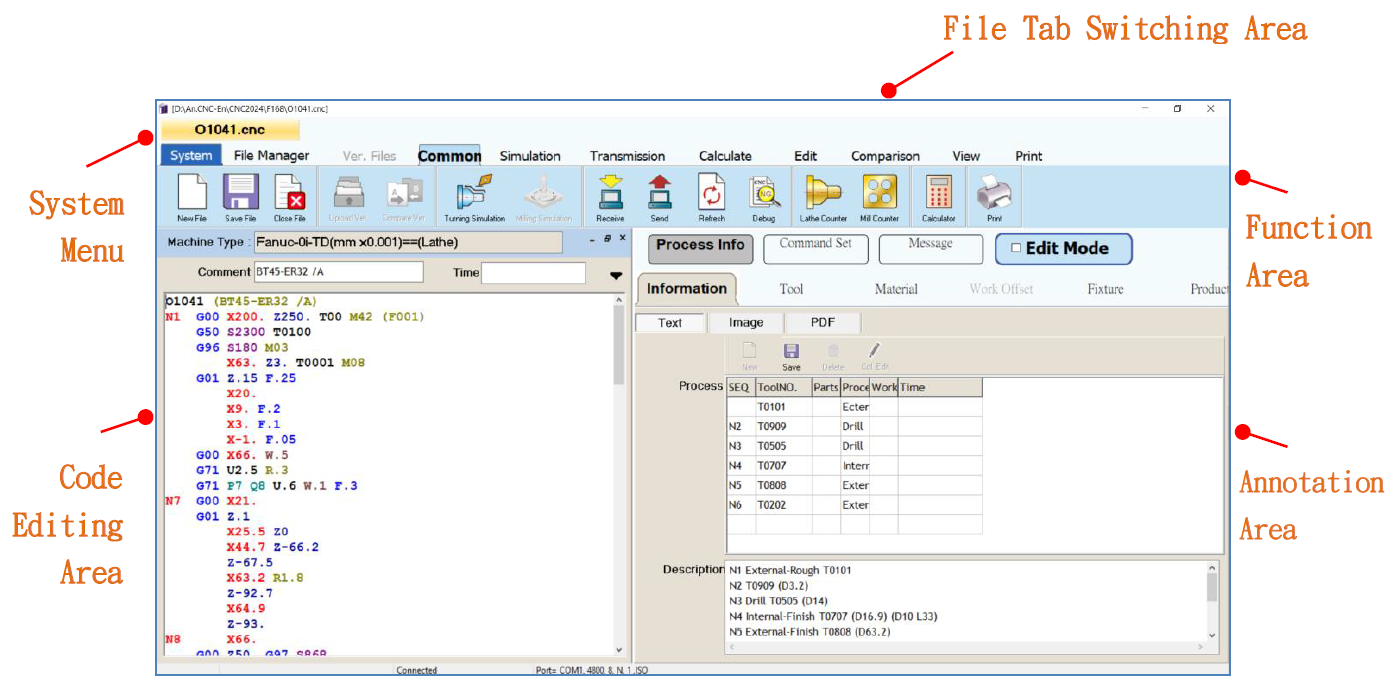
2.2.2 Program Editing Mode
In Program Editing Mode, the NcEditor workspace includes: system menu, file tab switching area, function area, program editing area, and annotation area.
文章區塊